Bank statements and payments
A bank statement records the money coming into and going out of one bank account on one day. It links customer payments to their invoices, and payments to vendors to theirs.
The menu is .
1. Create a statement
- Open and click Add new record.
- Select the Bank Account, the date and the numbering series.
- Save.
Instead of entering it by hand, the statement can also be filled by importing the bank's file.
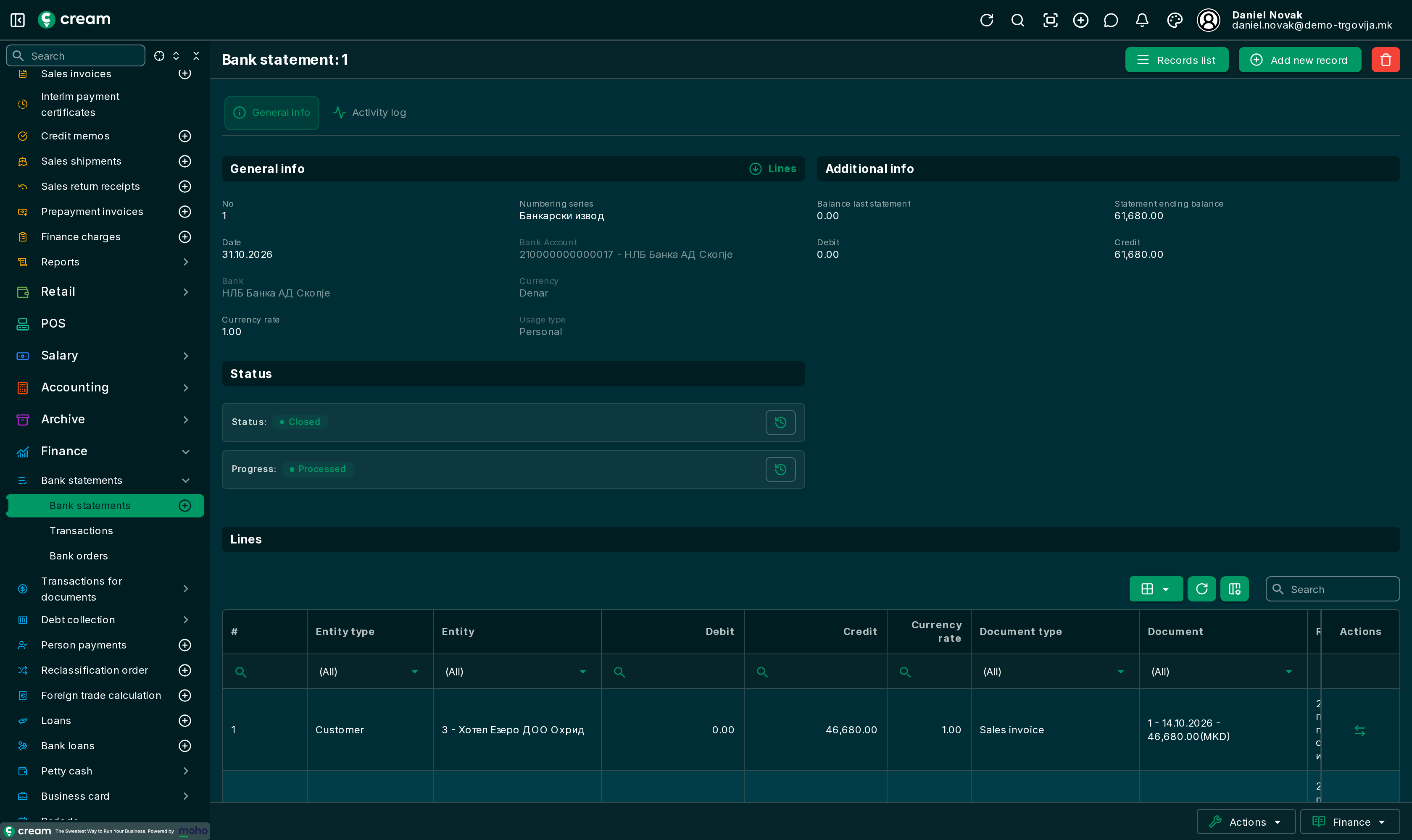
2. Add the lines
With Lines, add the payments. Each line is one payment in or out:
| Field | What to enter |
|---|---|
| Entity type and Entity | Who pays or is paid, for example Customer and their name. |
| Debit / Credit | The amount, on one side only. A payment from a customer goes under Credit. |
| Remittance | The bank's payment code, for example 200 for payment for goods between legal entities. |
| Document type and Document | The invoice being paid, for example Sales invoice and its number. |
One payment covering several invoices is split with Allocate funds: part of the line's amount is moved to another invoice.
3. Approve and process
With Next status, choose Approved, then with Next progress choose Process. The statement moves to Closed.
Where to see the payment
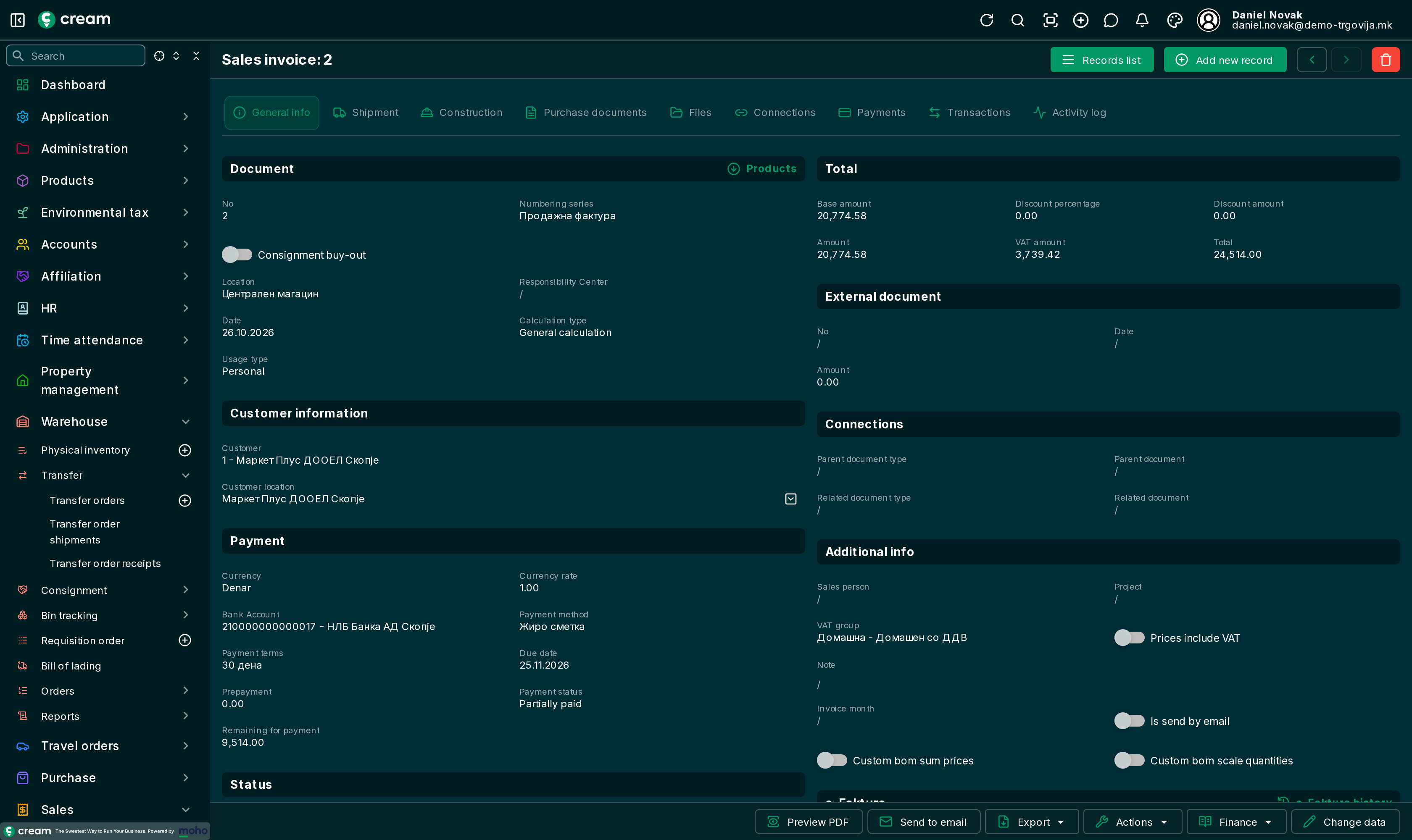
On the invoice itself, in the Payment section, Payment status shows whether it is Paid or Partially paid, and Remaining for payment how much is still due. Every linked payment is on the Payments tab.