Purchase contract
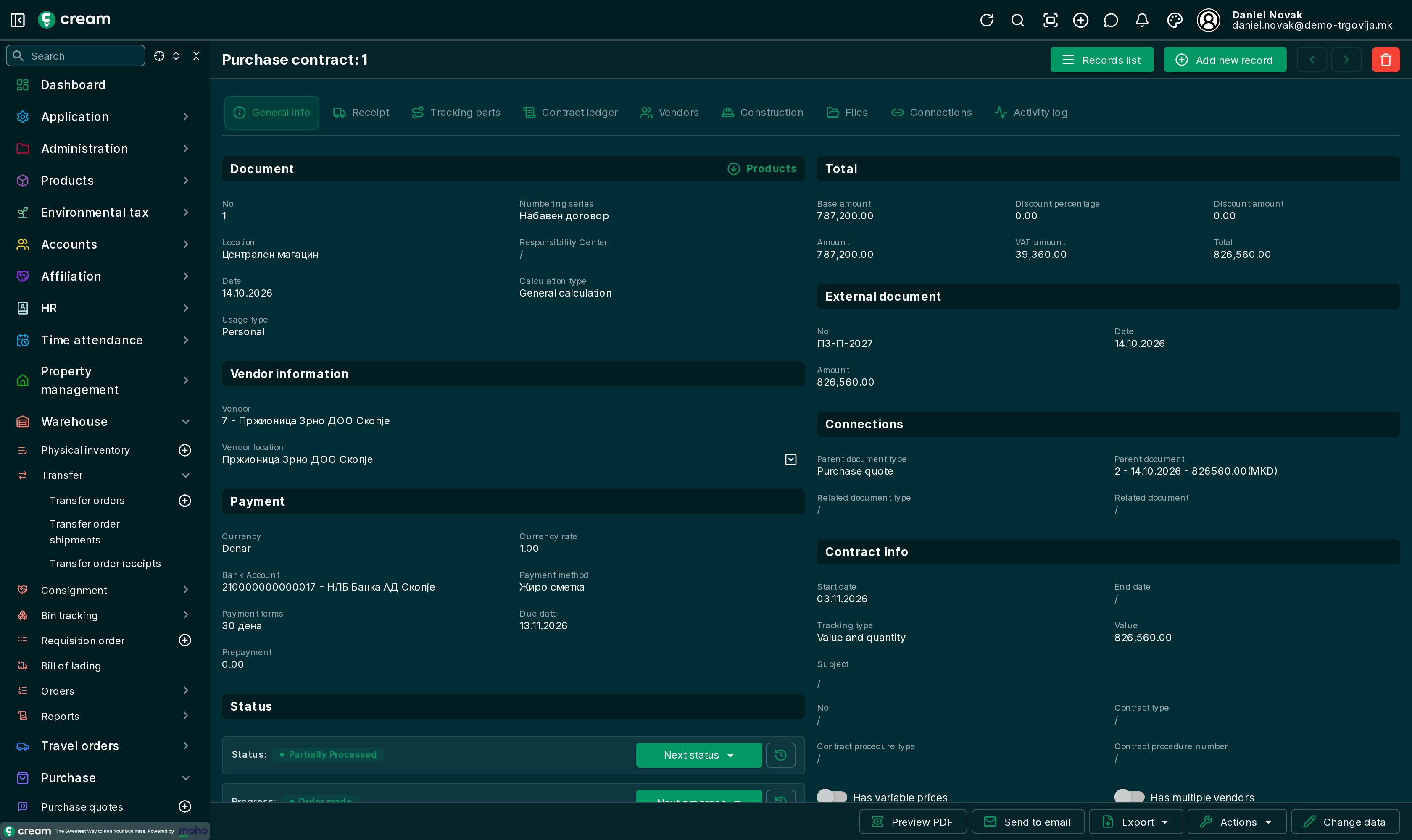
The purchase contract is a purchase agreed for a longer period, for example a year's supply, ordered from in parts. The contract tracks the value: how much is ordered, invoiced and remaining. The menu is .
How it's made
- From an approved purchase quote, with Make a contract: the contract takes the quote's value and tracks Value and quantity.
- Directly, with Add new record.
Form
In the Contract info section:
| Field | Meaning |
|---|---|
| Start date, End date | The contract period. The start date is required. |
| Tracking type | What is tracked: Value and quantity, Value, Quantity or No tracking. |
| Value | The contract value. |
| Subject, No, Contract type, Contract procedure type, Contract procedure number | Public procurement or internal records. |
| Has variable prices | The order prices may differ from the agreed ones. |
| Has multiple vendors | The contract applies to several vendors. All of them are on the Vendors tab. |
On the lines, Quantity to order is how much is ordered now. Order all remaining fills it for all lines, Clear quantities to order clears it.
Its own tabs:
| Tab | What it shows |
|---|---|
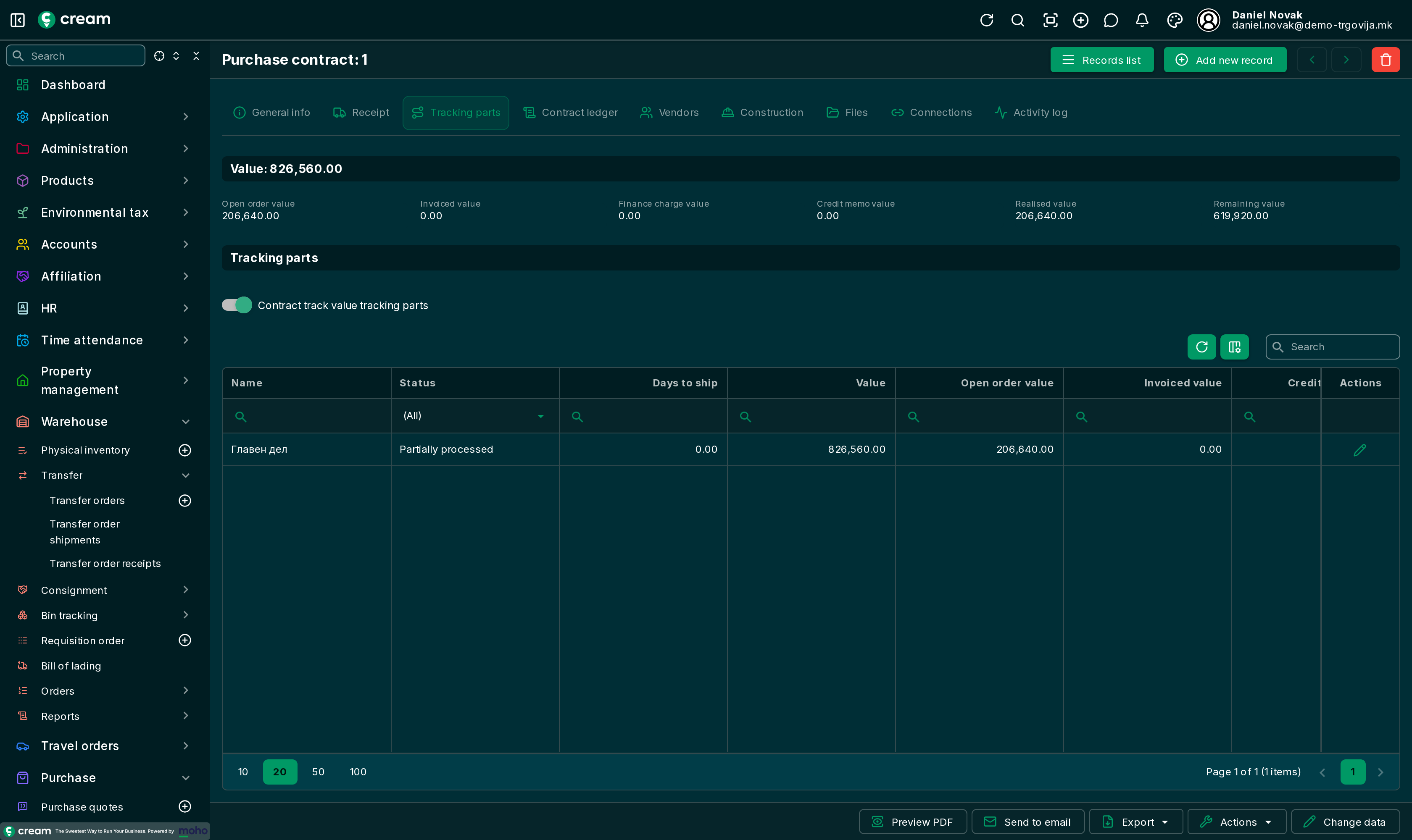
| Tracking parts | The contract value and how much of it is in open orders, invoiced, charged, credited, realised and remaining. The value can be split into parts, for example per year; with Contract track value tracking parts, the parts must add up to the contract value. |
| Contract ledger | Every document made from the contract, with its value and the balance after it. |
| Vendors | The contract's vendors and the realised value per vendor. |
The other tabs are as on every purchase document: Document list and form.
Statuses
| Status | Meaning |
|---|---|
| Draft, In progress, Pending Approval | Being prepared and approved. |
| Approved | Can be ordered from. |
| Partially Processed | Part is ordered. |
| Fully Processed | Everything is ordered, or it was closed by hand. It is locked. |
| Canceled, Expired, Reversed | Ended without being used, or reversed. |
Next status and Next progress
With Next status the contract is approved, closed by hand as Fully Processed, canceled or marked expired. From the approved contract, after entering Quantity to order, with Next progress:
| Action | What it does |
|---|---|
| Make an order | A purchase order for the entered quantities, in draft: Purchase order. |
| Make an order + Make a receipt + Make an invoice | The order is approved, received and invoiced right away. |
The confirmation dialog takes the vendor's document data for that part: The confirmation dialog.
Actions
Transfer to location, Transfer from location, Generate sales document (a sales contract), Clone and Reverse purchase contract.