Purchase receipt
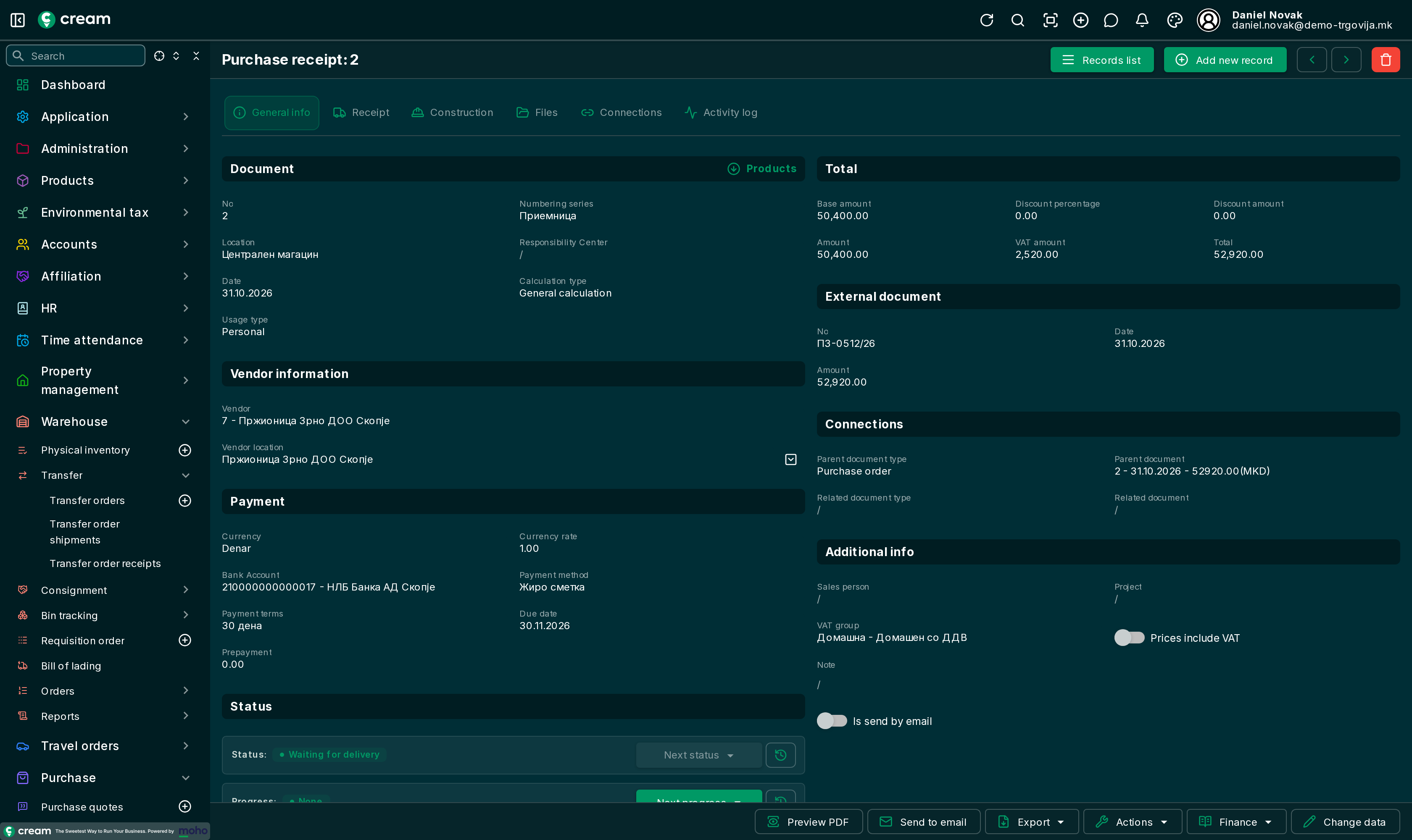
The receipt records the goods coming into the warehouse from the vendor. It increases stock; the payable is made by the invoice. The menu is .
How it's made
- From a purchase order, with Make a receipt or Make a receipt(Wait for delivery).
- From a purchase invoice, with Make a receipt.
- Directly, with Add new record.
Form
While the receipt waits, lots, serial numbers or bins can be entered on its lines, before the goods enter stock. With WMS on, Suggest bins, Into receiving bin and Put away are above the lines, and Print labels. The tabs: Document list and form.
Statuses
| Status | Meaning |
|---|---|
| Draft, Approved | A direct receipt before receiving. |
| Waiting for delivery | Ready, the goods aren't received yet. |
| Delivered | The goods are received, the invoice isn't entered yet. |
| Waiting for delivery(Processed invoice) | The invoice is processed, the goods aren't received yet. |
| Closed | Received and invoiced. It is locked. |
| Canceled, Reversed | Not valid. |
Next status and Next progress
| Action | What it does |
|---|---|
| Deliver | The goods come into the warehouse. |
| Wait for delivery | The receipt waits; the goods are received later. |
| Make an invoice | A purchase invoice for the received goods, processed. |
| Deliver + Make an invoice | Receipt and invoice in one step. |
| Wait for delivery + Make an invoice | The invoice is processed, the goods wait. |
An invoice can't be made from a receipt that is still waiting – the app asks to process the material document first. Several receipts are invoiced at once with Batch invoice from the list: Faster invoice entry.
Actions and Finance
- Actions: Transfer to location, Transfer from location – for example the received goods on to a store: Corrections, returns and transfers; Generate sales document (a sales shipment), Clone, reversal.
- Finance: Product ledger.