Purchase – overview
The purchase process takes documents from the order to the vendor, through receiving the goods into the warehouse, to the vendor's invoice and its payment. All purchase documents are in the menu.
Document flow
- Purchase order – what you order from the vendor, at which prices and quantities.
- Purchase receipt – the goods come into the warehouse.
- Purchase invoice – what you owe the vendor. Made from the order, from the receipt or directly.
- Payment – the payment to the vendor is recorded on the bank statement and linked to the invoice.
Any step can be skipped: for example, an invoice with a receipt can be entered directly, without an order. Every document made from another keeps the link to it, so you can move from document to document along the whole flow.
Data from the vendor's document
Every purchase document carries the number, date and amount of the vendor's document, in the External document section: No, Date and Amount. Without them the document can't be processed, and the app reports that external data for the purchase document is missing.
- The Amount is what you owe according to the vendor's document. It may not differ from the document's total by more than 1%.
- The same vendor invoice can't be processed twice: if the vendor already has a processed purchase invoice with the same external number in the same year, processing is refused. The check can be turned off in the company settings.
Statuses
All documents are approved the same way: Draft → (In progress / Pending Approval) → Approved. The statuses after approval are on each document's page.
Documents with Calculation type Foreign trade calculation (imports) also go through Waiting for calculation. They will be described on a separate page.
The Purchase menu
| Menu | What it's for |
|---|---|
| Purchase quotes | The vendor's offer, before the order. |
| Purchase contracts | A purchase agreed for a longer period, ordered in parts. |
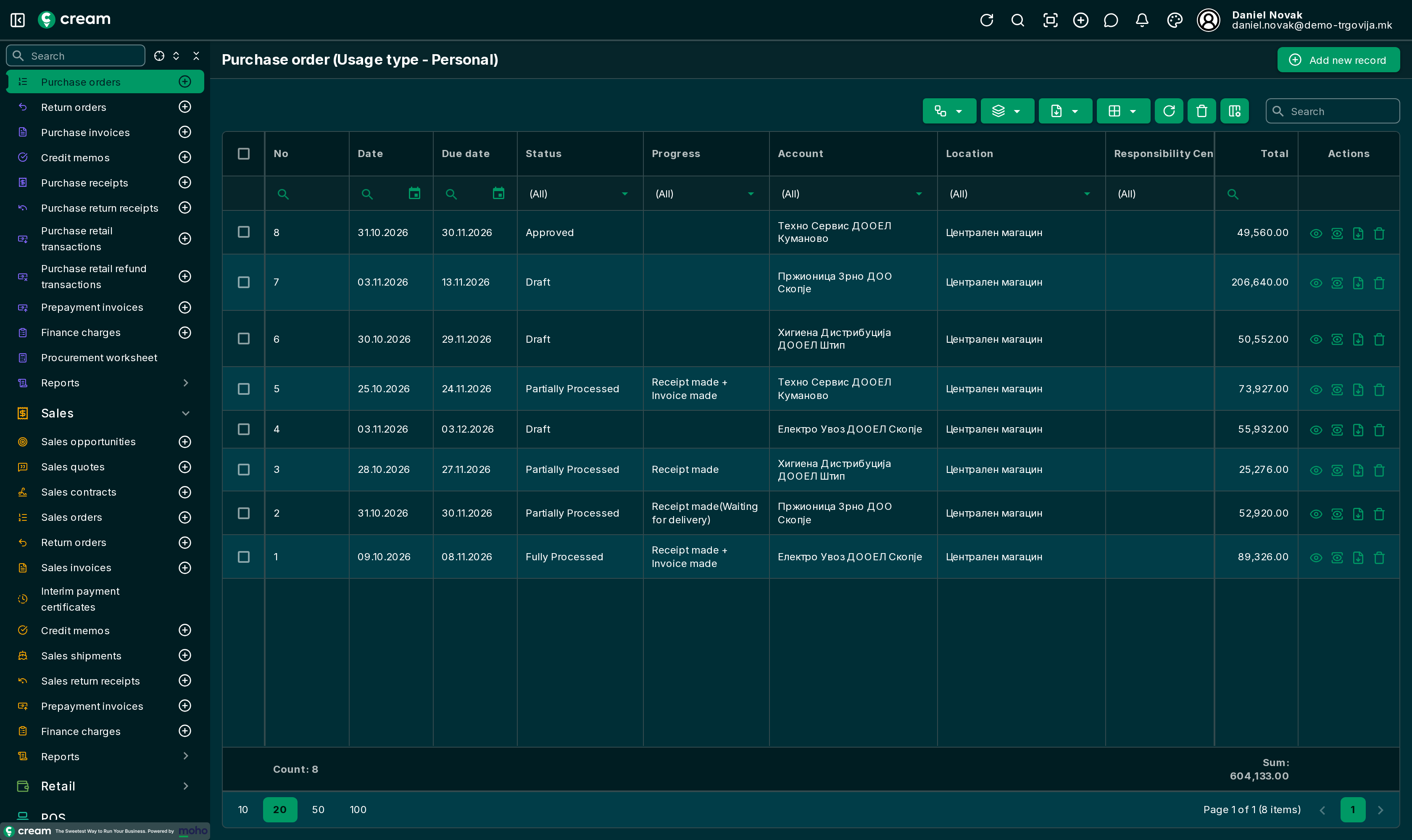
| Purchase orders | What you order. |
| Return orders | An agreed return of goods to the vendor. |
| Purchase invoices | What you owe the vendor. |
| Credit memos | Reducing the payable: return, rebate, price correction. |
| Purchase receipts | Goods come into the warehouse. |
| Purchase return receipts | Goods go out to the vendor. |
| Purchase retail transactions | A purchase paid at once, without receipt and invoice. |
| Purchase retail refund transactions | Returning goods bought on a retail transaction. |
| Prepayment invoices | An invoice for an advance paid before delivery. |
| Finance charges | A claim without goods, for example late payment interest. |
| Procurement worksheet | A proposal of what and how much to order. |
| Reports: Purchase, Vendor summary balance, Vendor detail balance | Purchases by product and the vendors' balances. |
Each document is opened from the list in its menu, and a new one is added with Add new record or the + button next to the menu.
The Actions menu of every purchase document has Clone, Transfer to location and Transfer from location, and on processed ones the reversal. Quotes, orders, contracts, receipts and invoices also have Generate sales document. The Finance menu opens the document's ledgers, and Export exports it to PDF or Excel. They are described in Entering products, Corrections, returns and transfers and Postings and bank orders.
Further reading
- Document list and form – the buttons, tabs and actions every document has
- Tasks across several documents: Entering products, Partial receipts and invoicing, Faster invoice entry, Paying vendors, Corrections, returns and transfers, Postings and bank orders, Correction and reversal