Corrections, returns and transfers
A processed invoice isn't changed, but the following documents are made from it, in the Actions menu. Price correction, return and transfer work on the selected lines: first tick the lines in the Products grid, then choose the action. With no lines selected the app answers that the selection is empty.
Price correction
When the vendor grants a discount afterwards and the goods stay with you.
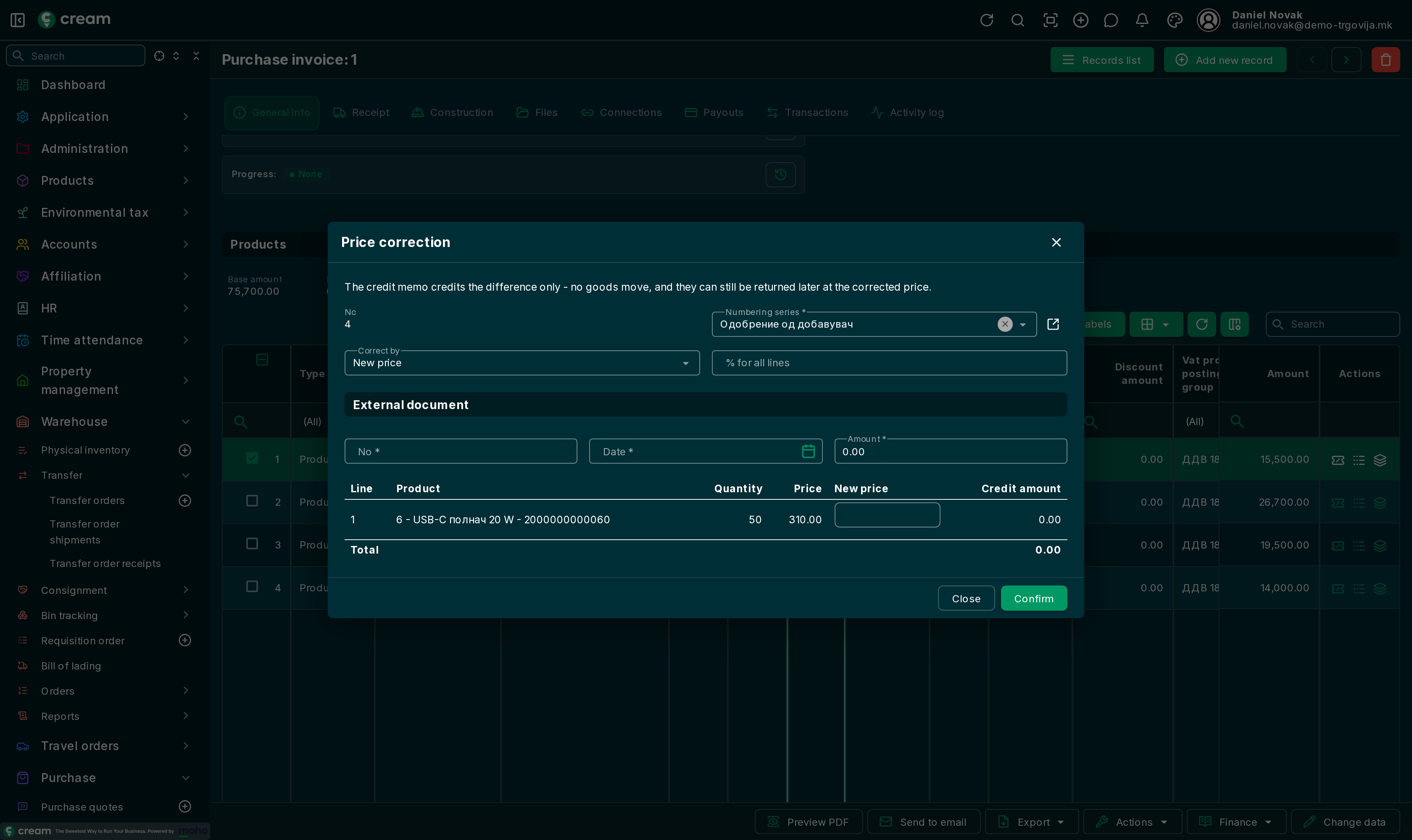
- Select the lines and Actions > Price correction.
- With Correct by, choose how to enter it: New price, Amount or Percent. With % for all lines, one percentage applies to all selected lines.
- In External document, enter the number, date and amount of the vendor's credit note.
- Check the Credit amount per line and confirm.
Returning goods to the vendor
When goods are damaged or wrong:
- Purchase credit memo – the credit memo only, no goods move;
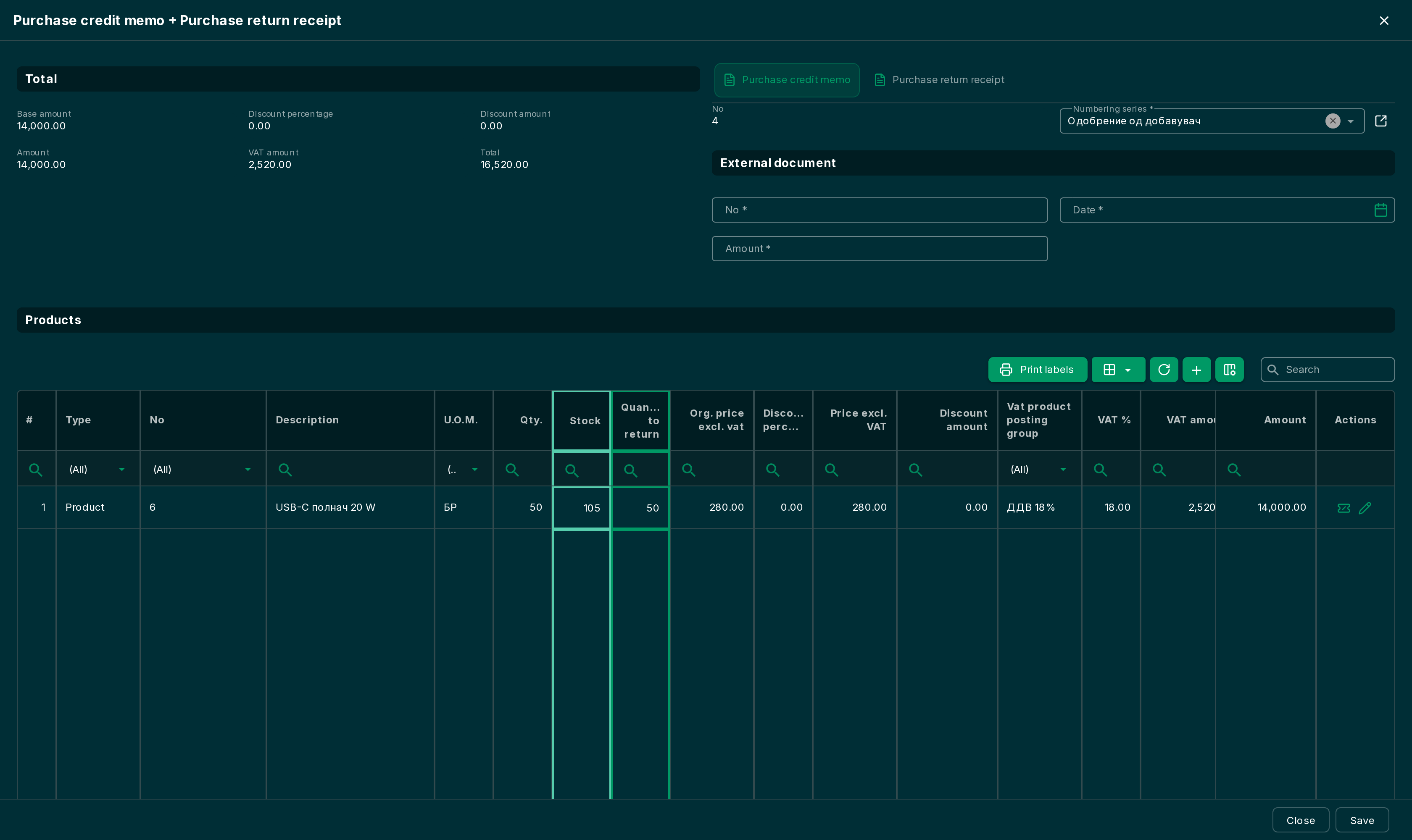
- Purchase credit memo + Purchase return receipt – a credit memo and a return receipt that takes the goods out of the warehouse.
- Select the lines and the action.
- On the Purchase credit memo tab, enter the External document of the vendor's credit note.
- In Products, under Quantity to return, enter how much goes back.
- Save.
Transferring the received goods
From a purchase invoice or receipt, with Actions:
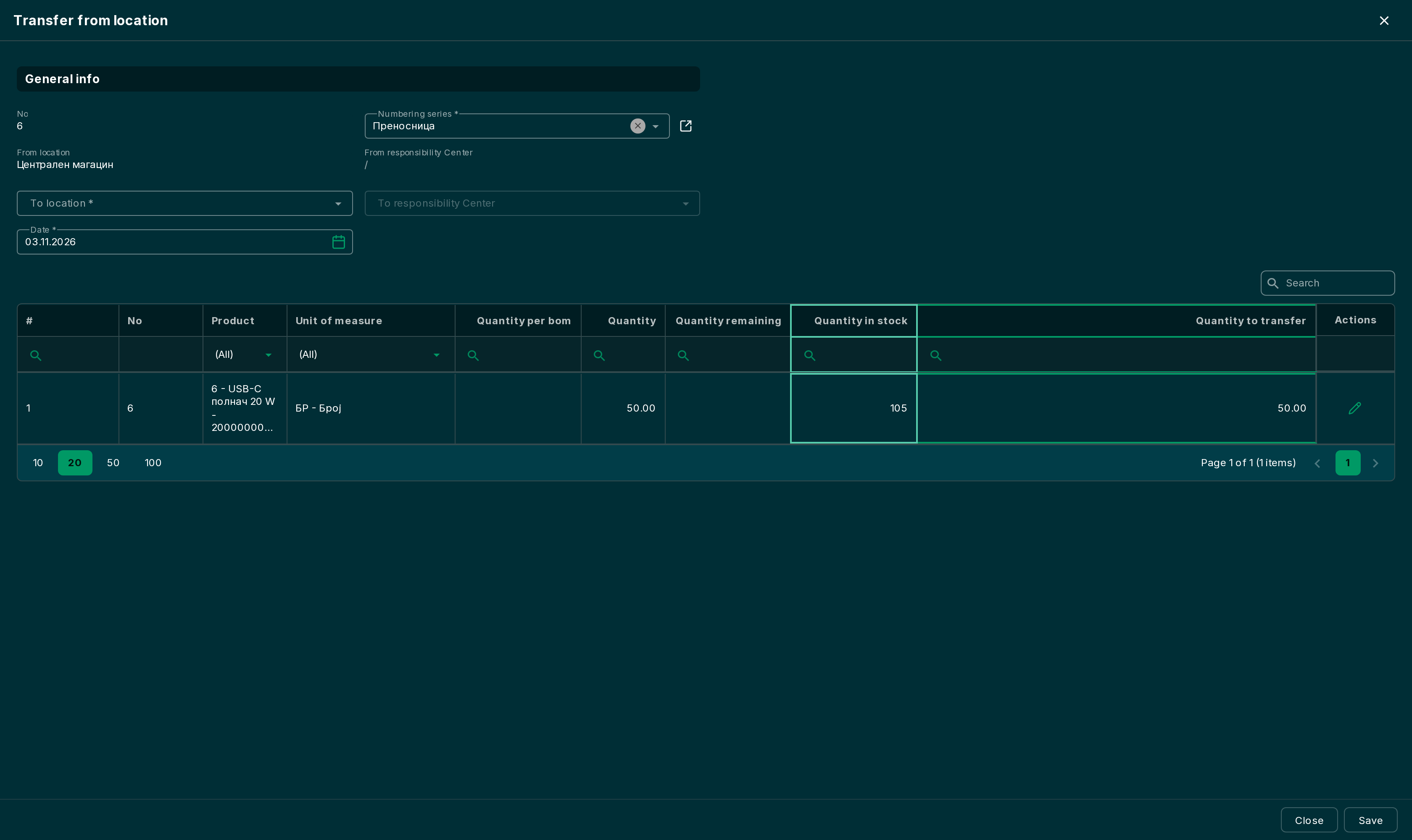
- Transfer from location – the goods go from the document's location to another location, for example from the warehouse to a store;
- Transfer to location – the goods come to the document's location from another location.
A Transfer order opens with the selected lines. Pick the other location, correct the Quantity to transfer if needed and save. The transfer order is then processed like any other: Transfer orders.
Resale
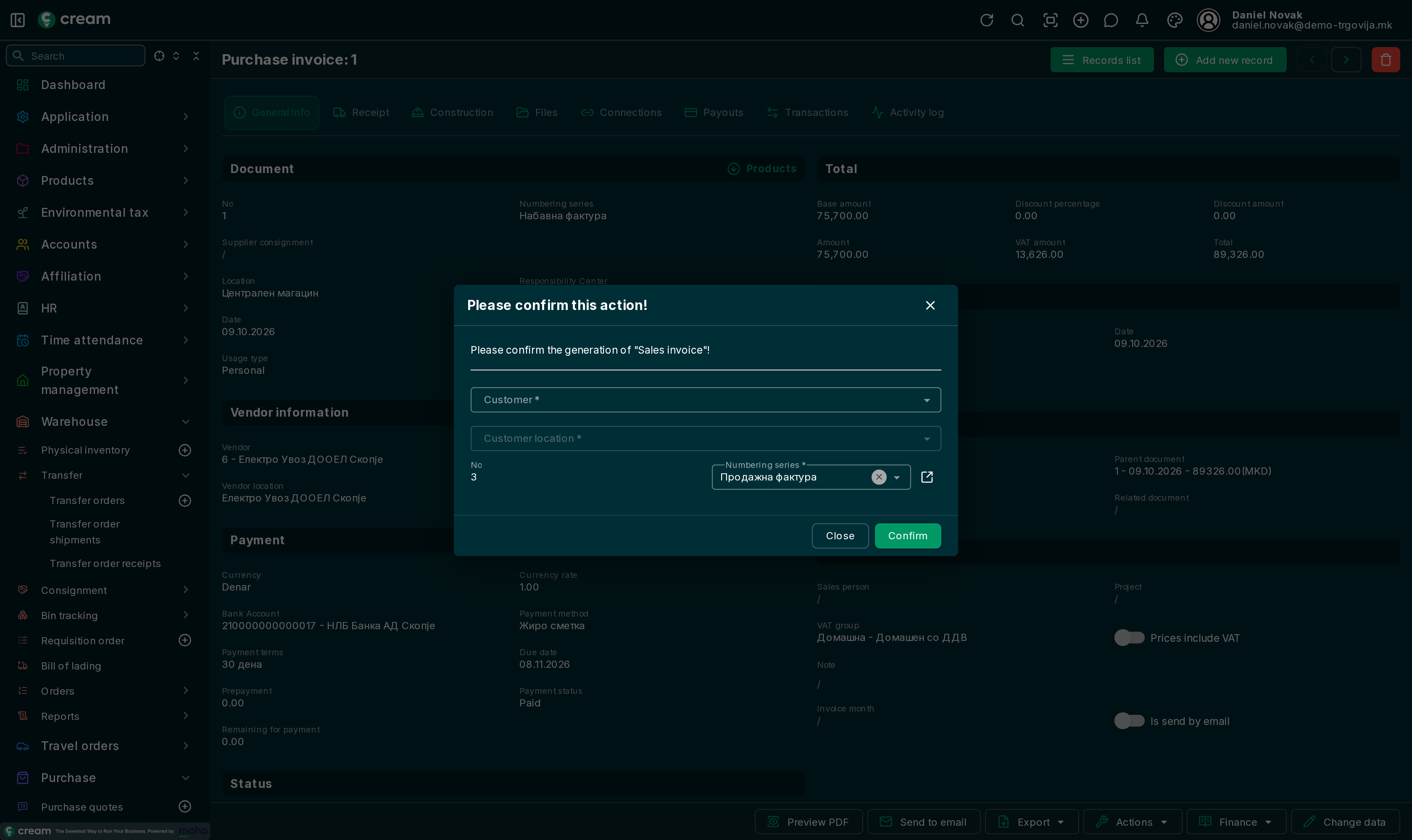
Generate sales document makes a sales document from the purchase one: a sales order from an order, a sales shipment from a receipt, a sales invoice from an invoice. Choose the customer, their location and the numbering series and confirm. The lines are carried over from the purchase document.