Postings and bank orders
What the document posts
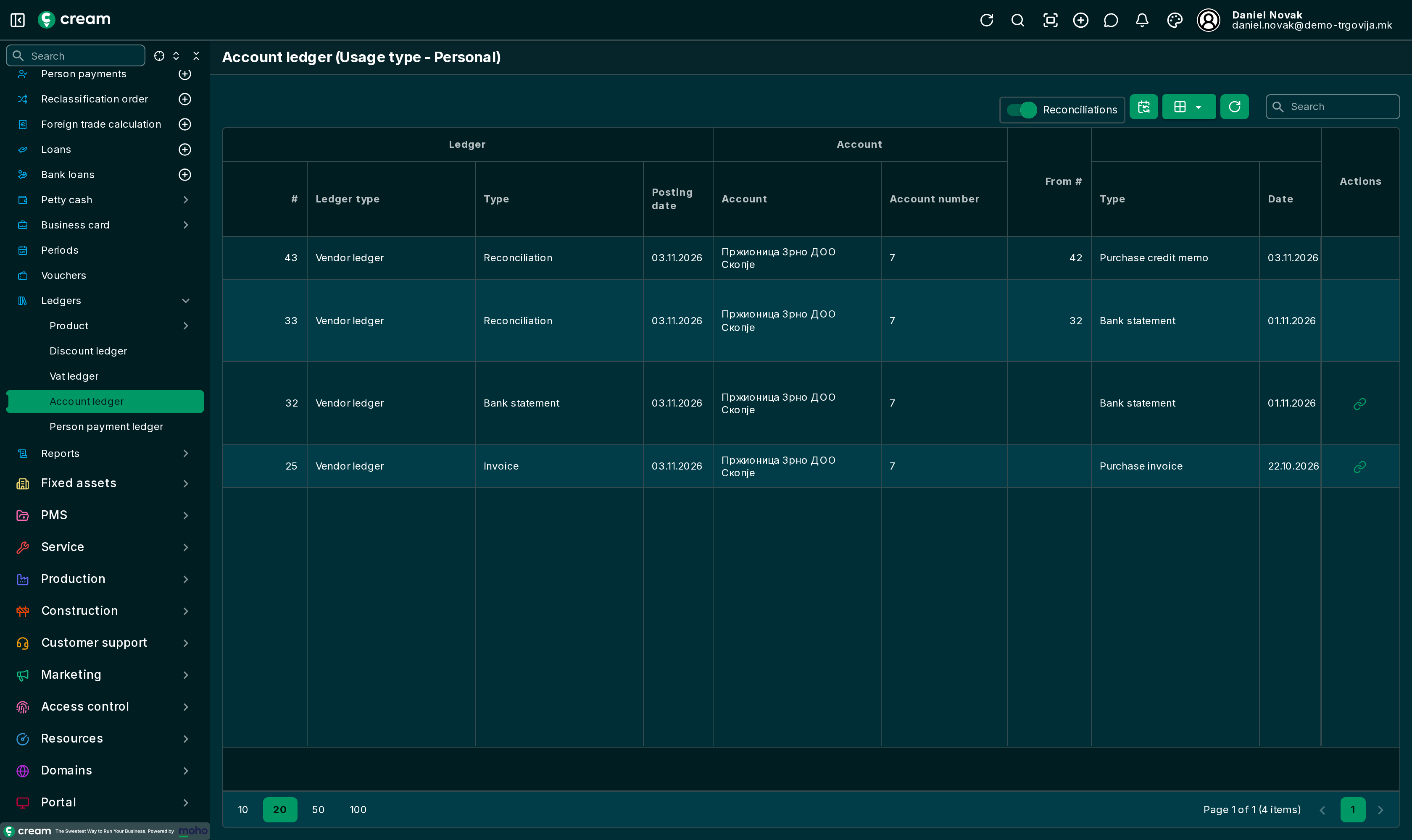
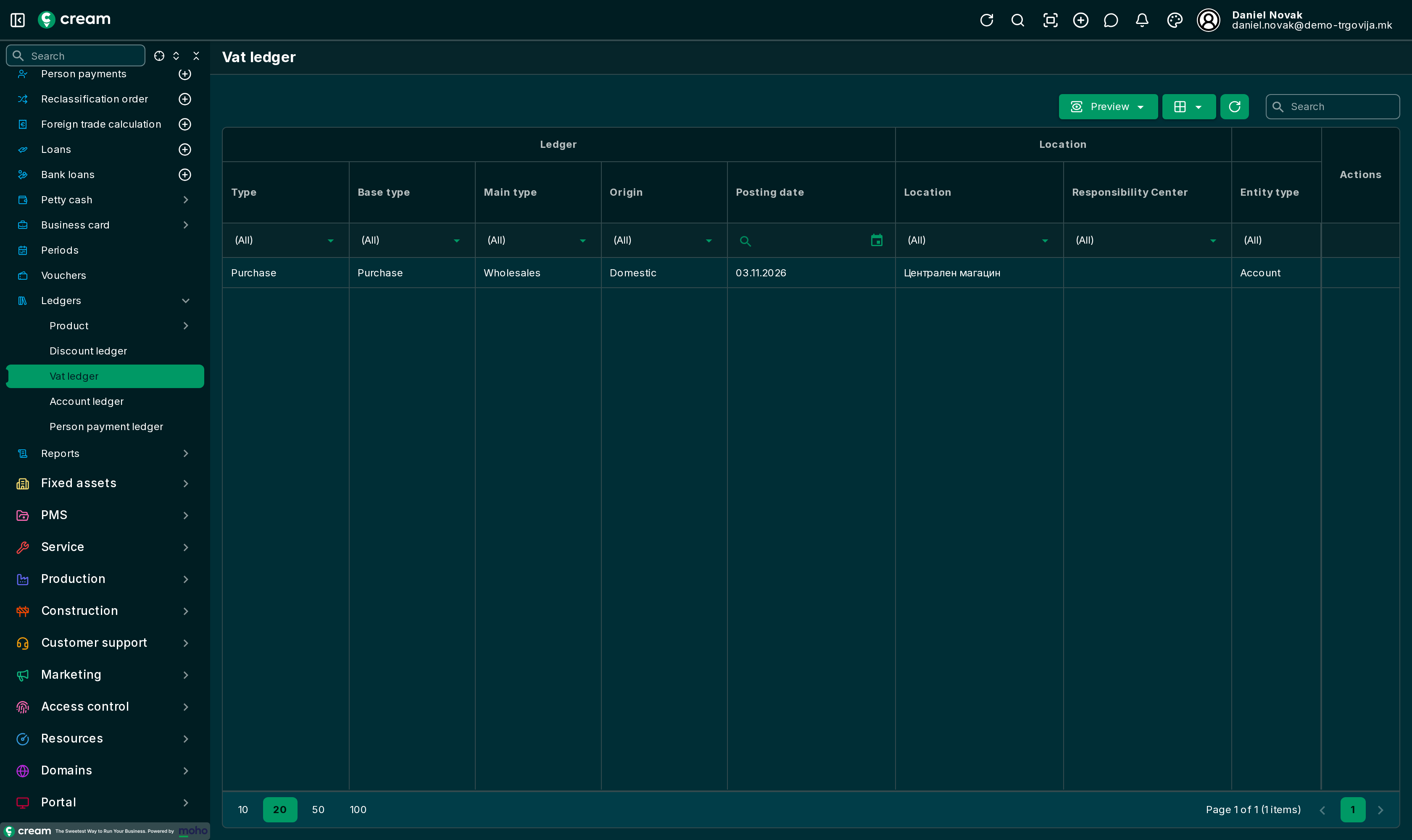
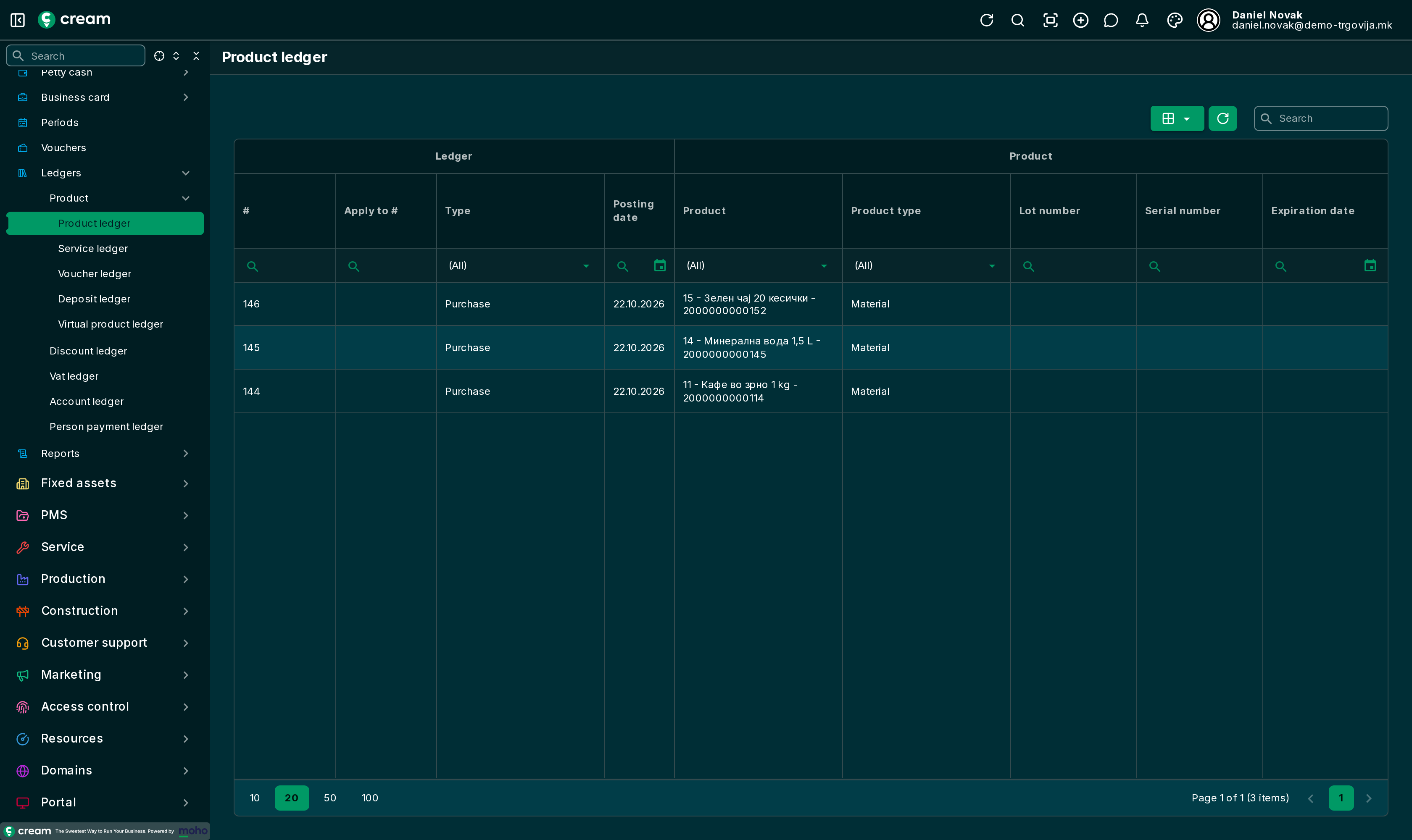
The Finance menu of a purchase document opens the ledgers filtered to that document, each in a new tab. On a processed purchase invoice these are:
| Ledger | What it shows |
|---|---|
| Account ledger | The payable to the vendor and every allocation of payments and credit memos to the invoice. |
| Vat ledger | The input VAT of the invoice. |
| Product ledger | The goods the invoice links to their receipt. |
| Payouts | The payments to the vendor linked to the invoice. |
The menu also offers the service, voucher, deposit and virtual item ledgers. A receipt has only the Product ledger, and an order Payouts and the Account ledger.
Paying by bank order
A purchase invoice can be paid with a bank order for e-banking, instead of by hand at the bank.
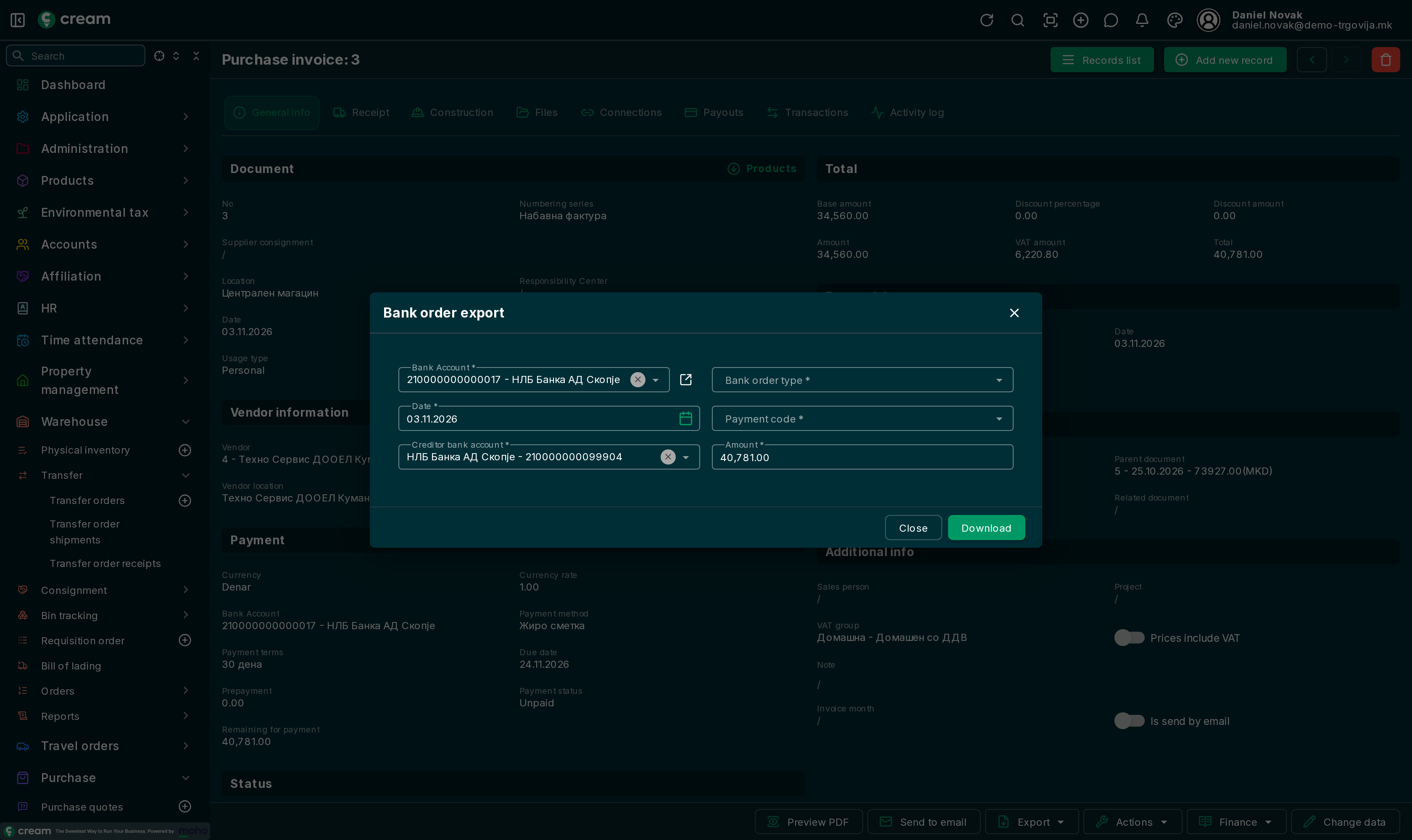
- On the invoice, Export > Bank order export.
- Check the Bank Account (paid from), Date, Creditor bank account (the vendor's account) and Amount, and choose the Bank order type and Payment code.
- Download. The bank order file for the bank is downloaded.
From the list, with invoices selected, Bank order export makes one bank order for several invoices.
If the invoice's bank order was already exported, the app asks whether to export it again. Bank orders are kept in .
The payment itself is recorded when the bank statement arrives: Paying vendors.